1. Set a password
Create one management password with at least 8 characters.
YOUR APPS. YOUR PERMISSION.
Keep a chosen EXE locked for your Windows account. Restore access with your password, while the original program stays unchanged.
Version 8.1.0 · Windows 10 / 11 · x64 · NTFS
See how it worksThree simple steps, with one password to manage them.
Create one management password with at least 8 characters.
Close the app, select its EXE and confirm the file lock.
Select the entry in the manager and enter your password again.
WHAT A LOCKED EXE DOES
Double-clicking a locked EXE shows a Windows access error. It does not launch a password popup.
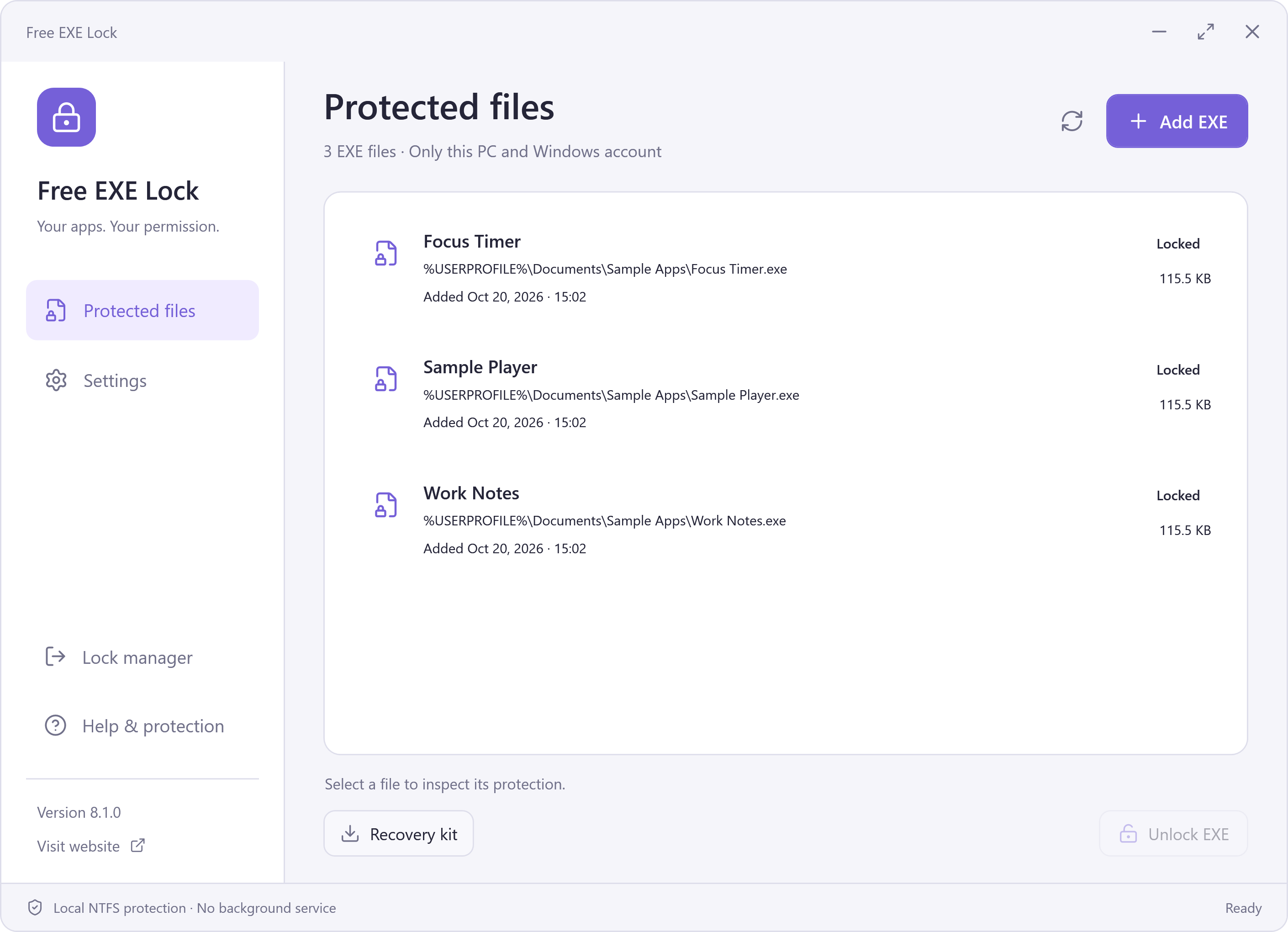
Open Free EXE Lock, select the file and choose Unlock EXE. Re-enter your management password to restore its permissions. The manager never automatically runs the target.
See the unlock stepsEverything you need to manage a local EXE lock.
Useful privacy starts with clear expectations.
The selected file is protected for your current Windows account. Other copies and other accounts are outside its scope.
An administrator can change permissions. This is not full-disk encryption, app-data encryption or a barrier against an administrator.
Keep your password and a current encrypted backup. Unlock protected EXEs before updating, moving or uninstalling.
A little more control over the EXEs on your PC.
Setup may offer optional RelevantKnowledge research. You can decline or skip it and still install the free app. If accepted, it is separate software that may collect activity in the background. Read the details.
Download information · Signatures and checksums · What's new in 8.1.0
The things to know before you lock a file.
It changes NTFS permissions on a selected local EXE so the current Windows account cannot read, copy or run that file. The original EXE contents are not rewritten. This is local file access protection, not app-data encryption.
No. Windows denies access to the locked file. Open Free EXE Lock, unlock the manager, select the entry and choose Unlock EXE. Enter your management password again to restore access. The app does not launch the EXE for you.
Yes. Windows enforces the file permissions even when Free EXE Lock is closed. No background service, process monitor or tray app needs to keep running.
The lock changes permissions rather than the EXE contents. It does not wrap, encrypt or patch the program, or rewrite its embedded Authenticode signature. Once access is restored, the original program remains the program you selected.
A local administrator can change Windows permissions. Other accounts and other copies of the same app are outside this lock’s scope. Use a separate standard Windows account when sharing a computer; do not treat this as a security boundary against an administrator.
Version 8.1.0 supports Windows 10 and 11 on x64 PCs and local NTFS files. The tool performs safety checks and rejects unsupported targets, including system or security software, links, network locations and unsuitable permissions. It cannot lock every EXE in every configuration.
Keep your password and export a recovery kit. The kit is an encrypted backup, not a password reset key: it still requires the password in effect when it was exported. It contains only the records included at that time. Do not delete your local vault or overwrite newer records with an older backup.
Yes. Unlock your protected EXEs before an app update, before moving an app, or before uninstalling Free EXE Lock. An updater can replace a file with a different identity; the manager will retain the record rather than overwrite unrelated permissions.
The installer may invite you to join RelevantKnowledge research. You can decline or skip it and still install and use Free EXE Lock. If you accept, the separate research software can collect browsing and application activity in the background and has its own removal process.
Yes. The EXE-locking application is free to download and use, with no subscription or online account required for its local management workflow. The optional research invitation is separate from the free application.
A free, local EXE lock for your Windows account.
Download Free EXE LockWindows 10 / 11 · x64 · NTFS · Version 8.1.0